
Tracking Your Degree Progress
The Degree Progress report is a tool used to track the completion of degree requirements. The report is live and updates as students enroll and drop classes. Students should run this report often to monitor progress toward degree completion.
What’s included
- All coursework completed at Palomar College
- In-progress courses at Palomar College
- Transfer credit (on a very limited basis)
- Test credit such as AP, IB, CLEP
Please contact evaluations@palomar.edu for credit posting questions.
Education planning and transfer assistance
Students are encouraged to meet with a counselor to assist with education planning, career counseling, and transfer planning. Counselors can answer questions regarding transfer credit, preparation for transfer and assist with education planning. The degree progress is intended to be a tool used in combination with your academic counselor.
Confirm your major
The degree progress report is based on the declared major plan. Students can verify their declared major by clicking the My Declared Major option under Academics. This will display your declared major plan and your declared catalog year. If you are following a major that requires a transfer certification your declared transfer plan will show next to your major.
If your major plan is incorrect please submit a major plan change request form. If you need to request a prior catalog year please submit the catalog change request form.
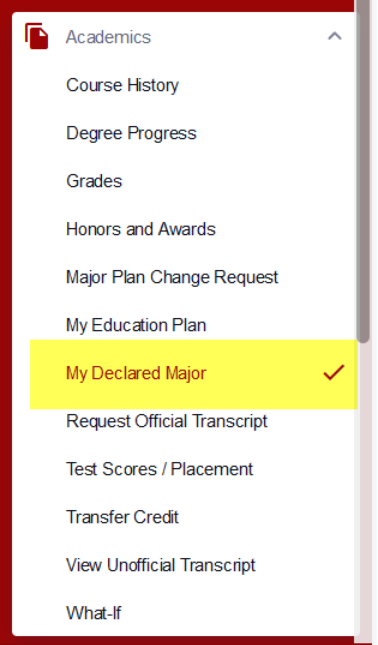

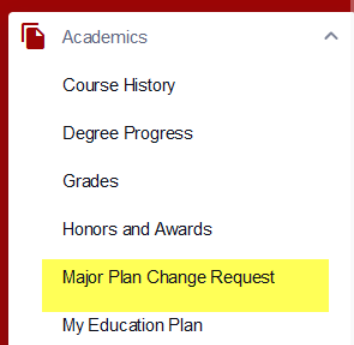
Major changes can be submitted by clicking the Major Plan Change Request link under Academics.
Graduation Requirements
The degree progress report contains information on degree/certificate requirements.
- Requirements such as GPA, unit requirements, residency
- General education requirements (if applicable)
- District requirements (if applicable)
- Major requirements
The report will show requirements based on the declared major plan. Example:
- A declared major plan of Associate of Science (AS or AA) will show requirements for units, GPA, residency, general education and major work.
- A declared major plan of Certificate of Achievement (CA) will only show major work, no general education courses.
- A declared major plan for an Associate Degree for Transfer (ADT) will show major work and transfer certification requirements.
It is important students have the correct major declared for the degree progress report to properly display requirements.
General Education
General education requirements can vary depending on your declared program. If you have any questions regarding what general education plan to follow please speak with your Counselor for any clarification.
Accessing the Degree Progress report
Log in to MyPalomar to view the degree progress report. Under Academics, click on degree progress.
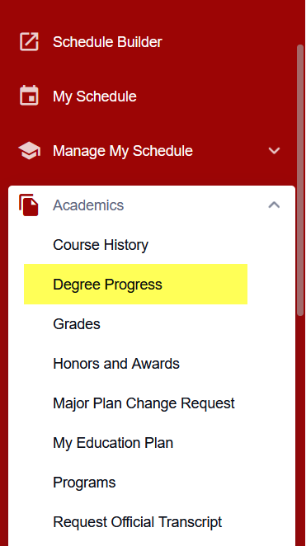
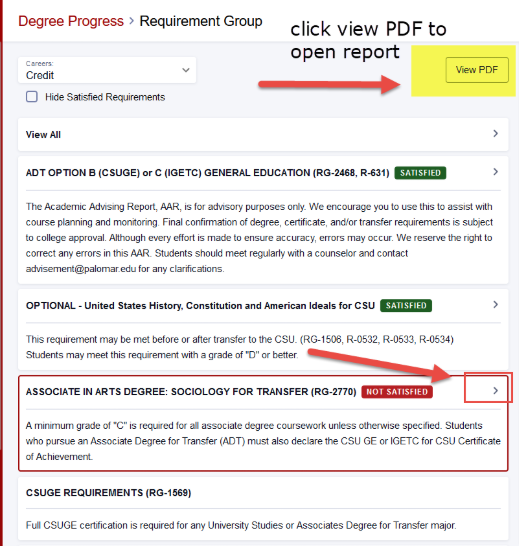
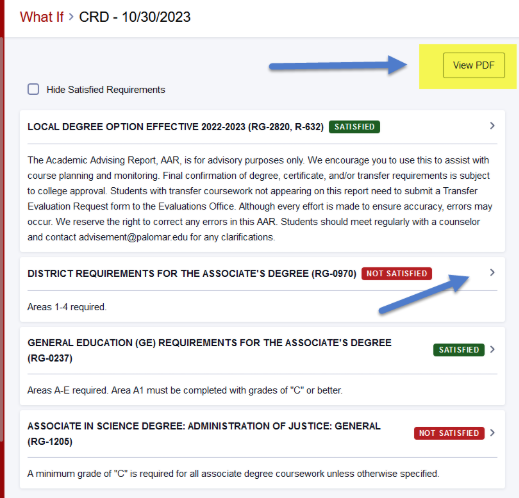
Students can expand the sections of the report or click PDF to see the comprehensive report. Clicking view PDF will open the report in a new window and provide a comprehensive list including course history.
How to read the report
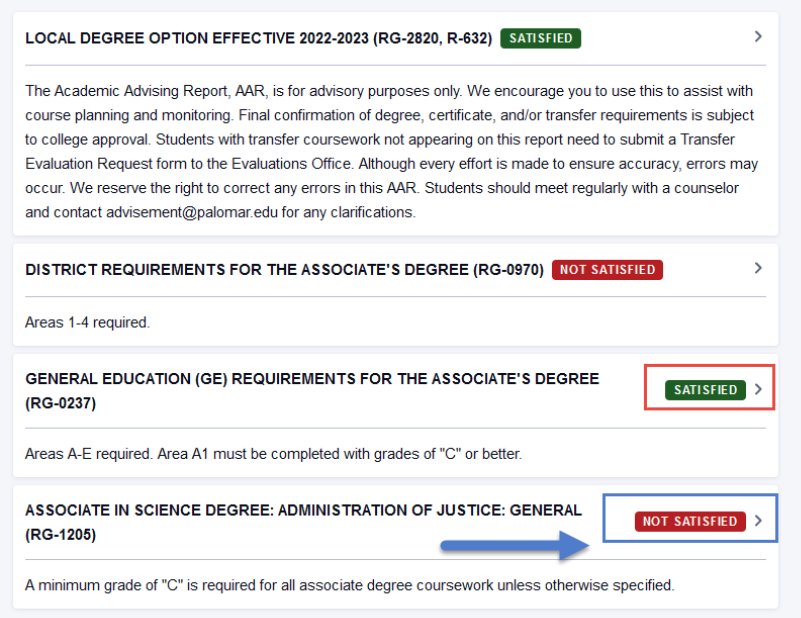
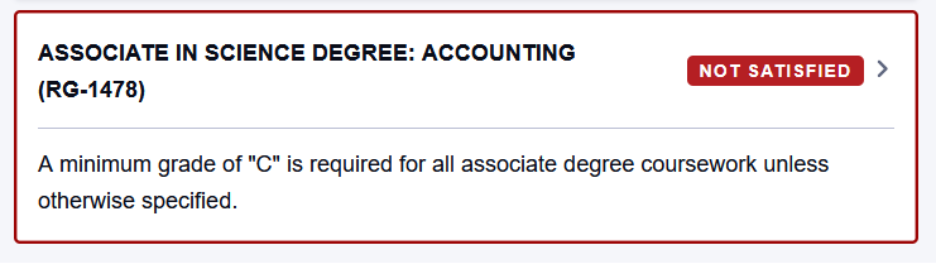
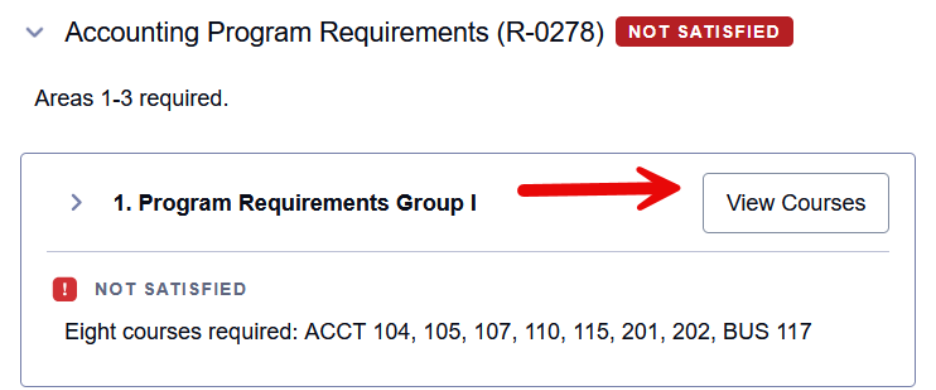
For students to complete their program all requirements must be SATISFIED. If an area is red, NOT SATISFIED, the area is not fulfilled. Students can click NOT SATISFIED to see what course(s) are deficient. Courses/areas that are IN-PROGRESS will appear in the report.
Major
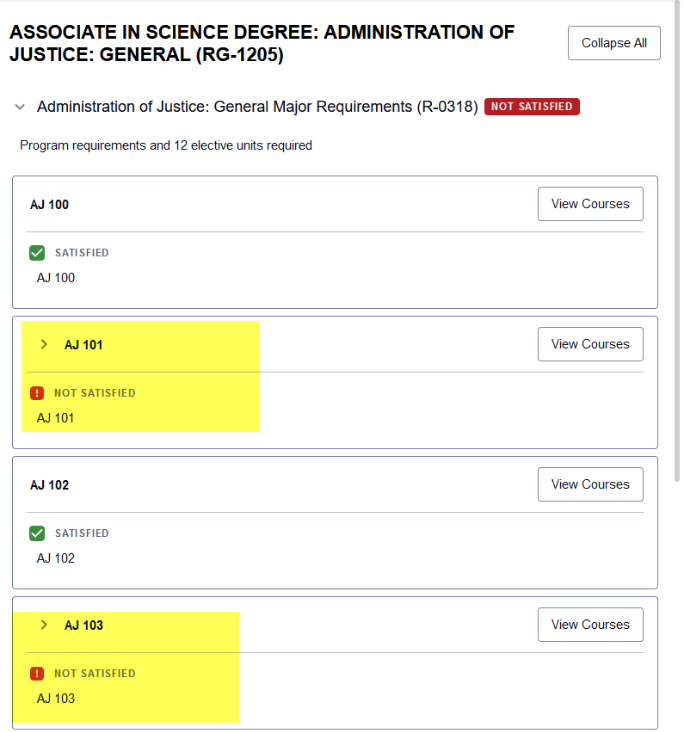
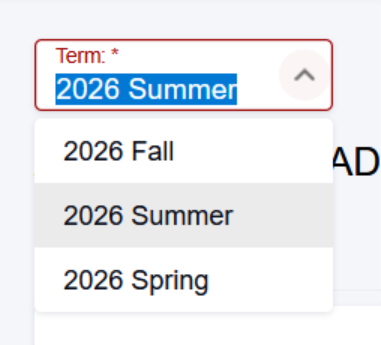
The major is the list of required courses to complete the major-specific classes for the degree. Major courses will show on the report as either satisfied or not satisfied. Expand the NOT SATISFIED section to select available courses. If needed update the term to reflect the term you wish to enroll.

Course History
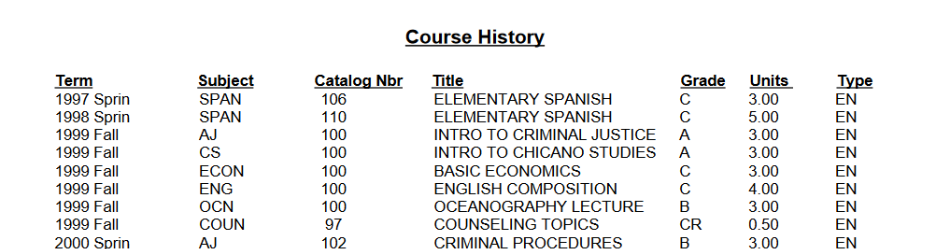
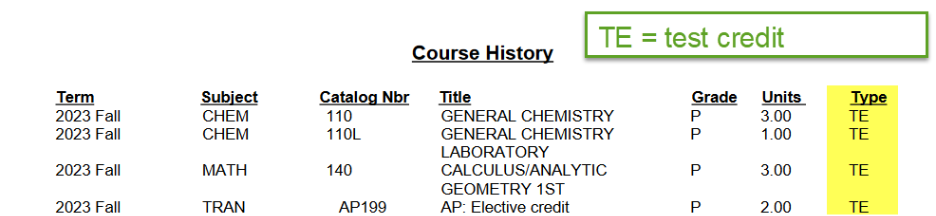
The course history will appear at the bottom of the PDF report. Posted test credit will also appear in this area.
What-If Report
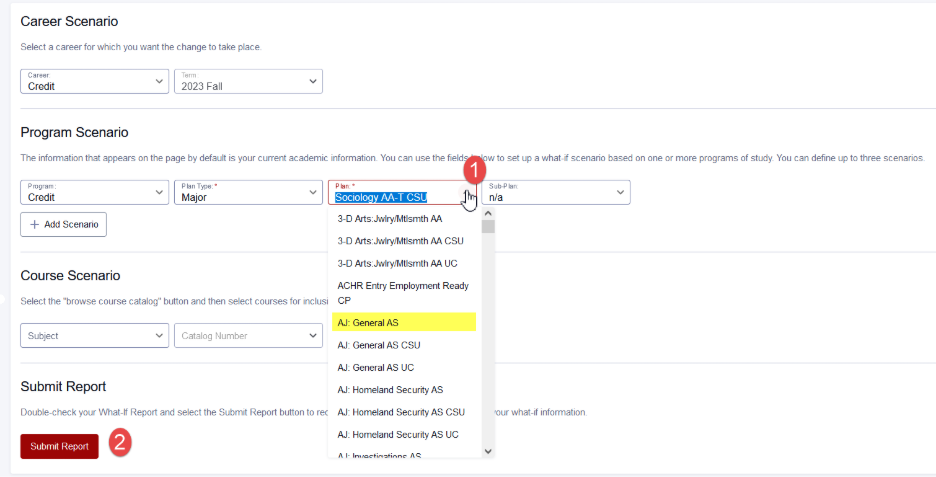
The what-if report can assist students that are considering changing to a different major plan. Under academics click what-if. Click on the Create Report button to create a new report.

Under program scenario, click the plan option to select a different major. Select the major and the GE option. Click submit report.
The What-If report will appear. Students can either view the PDF or click through the different sections of the report to see how completed classes fulfill the What-If requirements.
Frequently Asked Questions
- Do I have to see a counselor to use the degree progress report?
- Students do not need to meet with a counselor to view their report. The degree progress report is a tool intended to be used with your academic counselor towards education planning and monitoring. Students are encouraged to meet with a counselor on a regular basis.
- How does my transfer credit apply to my progress?
- Currently transfer credit is posted on a limited basis. Students with transfer coursework are encouraged to meet with a counselor to review transfer coursework and discuss the applicability to the major.
- I’m thinking of changing my major. Can I use the degree progress report to see how my completed classes work towards a different major?
- Students can run the what-if report to see how completed courses will apply to a different major.
- What are the differences between the general education options?
- Students can meet general education requirements with multiple GE options. Students that are not sure which GE option to declare are encouraged to meet with a counselor.
- Information regarding the different GE options can be found online in the college catalog.
- I still have questions. Who can assist me?
- Students with questions regarding transfer/degree requirements can contact Counseling to make an appointment.
-
- Students with questions specific to the degree progress report can email evaluations@palomar.edu or stop by the Evaluations Office in SSC (Student Services Center) for assistance.